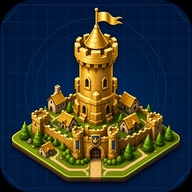
Ultimate Guide to Building a Kingdom Architect Castle City
Learn how to design, expand, and optimize your Kingdom Architect castle city in this comprehensive Roblox tycoon and simulation guide.
Every great ruler starts with a humble village, but the ultimate goal is forging a sprawling, majestic empire. If you want to dominate the landscape, building a Kingdom Architect castle city is the most rewarding challenge you can take on. Designing your very own Kingdom Architect castle city allows you to blend creative freedom with strategic tycoon mechanics. You aren't just placing blocks; you are curating a living, breathing medieval economy that thrives even when you log off.
In this guide, we will walk you through the essential steps to transform your tiny settlement into a monumental fortress. From placing your first market to unlocking coveted star ratings, mastering this simulation experience requires patience, planning, and a keen eye for medieval architecture.
Getting Started with Your Kingdom Architect Castle City
When you first load into the game, your plot of land will look quite barren. The journey to a massive Kingdom Architect castle city begins with laying down the foundational structures of a small village. Every building you place serves a specific purpose, contributing to your overall progression and income generation.
At this early stage, you need to focus on balancing residential buildings with economic structures. Houses provide the population base, while markets generate the active income required to fund your expansions. According to community reports, players who prioritize a 2:1 ratio of residential to commercial buildings tend to scale their economies much faster.
Here is a breakdown of the essential beginner structures you should focus on:
As you collect payouts from these early buildings, you will gradually unlock new structures. Do not rush to buy everything at once; instead, focus on upgrading your existing grid before expanding outward.
Designing the Ultimate Fantasy Empire
Once your economy is stable, it is time to focus on aesthetics. When planning the layout of your Kingdom Architect castle city, visual appeal matters just as much as your hourly income. The game provides a robust suite of landscaping tools, allowing you to manipulate terrain, add water features, and plant dense forests.
A truly immersive medieval kingdom requires more than just stone walls and towers. You need to incorporate gardens, winding roads, and varying elevations. The dynamic day and night cycle also plays a huge role in how your city looks. Placing light sources strategically ensures your empire looks just as breathtaking under the moonlight as it does during the day.
Consider utilizing these landscaping elements to elevate your design:
Maximizing Payouts and Offline Growth
A major perk of managing a Kingdom Architect castle city is the offline progression system. Unlike traditional active-only building games, this experience blends simulation with tycoon mechanics. Your kingdom continues to build and earn money even while you are disconnected from the server.
Because your city generates revenue around the clock, your primary active goal should be reinvesting that money as soon as you log back in. Come back often to collect your accumulated rewards. You can play the game and check your progress directly on the official Roblox platform.
To optimize your earnings, you should understand the difference between active and passive strategies:
Unlocking Upgrades and Star Ratings
As you expand, the game tracks your overall progress and grants you official ratings. Earning stars proves that your Kingdom Architect castle city is among the elite. The game features specific milestones: 1-star, 2-star, and the highly coveted 3-star rating.
These ratings act as a badge of honor and a measure of your empire's complexity. While the exact background algorithms are part of the game's beta testing, player experience suggests that ratings are tied to a combination of total land owned, variety of buildings placed, and overall aesthetic density (decorations).
Here is a general roadmap for achieving these prestigious star ratings:
To push from two stars to three, you must heavily utilize decorations and terrain tools. A flat grid of houses will not impress the rating system; you need elevation, water features, and a well-thought-out castle keep.
Advanced Tips for Kingdom Expansion
Expanding your Kingdom Architect castle city requires massive amounts of capital and space. As you transition into the late game, you will unlock massive stone walls, grand towers, and sprawling castle gates.
One of the biggest mistakes new players make is boxing themselves in too early. When building your initial walls, leave plenty of room for future expansion. If you build your defenses too tight, you will have to tear them down and rebuild them later, wasting valuable time and resources.
Keep this late-game expansion checklist in mind:
Take advantage of the day and night cycle to review your city's lighting. A well-lit city is a beautiful city, and placing torches, lanterns, and magical lights along your pathways will make your empire truly stand out.
Frequently Asked Questions
How do I earn money faster in my Kingdom Architect castle city?
To accelerate your income, focus on placing and upgrading market structures before expanding your residential zones. Additionally, log in frequently to collect your offline earnings and immediately reinvest them into high-yield buildings rather than hoarding your cash.
Does the game progress while I am offline?
Yes! The game features a robust offline growth system. Your kingdom will continue to generate revenue and progress while you are away. This tycoon mechanic ensures that you always have a pool of resources waiting for you when you return.
What happens when I reach a 3-star rating in my Kingdom Architect castle city?
Reaching a 3-star rating is a major milestone that signifies you have built a massive, highly optimized fantasy empire. While it serves primarily as a prestigious badge of honor showcasing your dedication, it also indicates that you have successfully mastered the game's building, economic, and landscaping mechanics.
Can I customize the terrain of my kingdom?
Absolutely. The game provides comprehensive tools to alter terrain, place water, and plant trees. Using these tools is highly recommended to transition your build from a simple flat village into a realistic, dynamic medieval landscape.
Related Guides
How to Build the Ultimate Kingdom Architect Fantasy Empire
Discover expert tips and strategies for building a massive Kingdom Architect fantasy empire. Learn about offline growth, star ratings, and castle design.
Mastering Kingdom Architect Castle Design: Build Your 3-Star Empire
Discover the best strategies for Kingdom Architect castle design. Learn how to expand your village, boost offline growth, and build a massive fantasy empire.