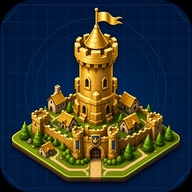
Ultimate Guide to Kingdom Architect Building Unlocks & Progression
Master your medieval empire with our complete guide to Kingdom Architect building unlocks. Learn how to earn more coins and expand your fantasy city faster.
Building a sprawling medieval empire from scratch takes more than just placing a few wooden huts. If you want to dominate this popular Roblox simulation experience, mastering Kingdom Architect building unlocks is absolutely essential. Understanding how Kingdom Architect building unlocks work will dictate how fast you transition from a tiny, struggling village into a massive fantasy castle city.
Every structure you place helps your kingdom progress, generating the vital payouts needed to buy more land and expand your territory. In this guide, we will break down the progression system, explain how to maximize your offline earnings, and provide actionable tips to help you reach that coveted 3-star kingdom rating.
The Core Loop of Kingdom Architect
At its heart, Kingdom Architect is a blend of a city-building simulator and a classic tycoon game. The gameplay loop is incredibly satisfying: you build structures, collect payouts from those buildings, and use that money to fund your next wave of Kingdom Architect building unlocks.
Unlike many other games in the genre, your progress isn't strictly tied to active playtime. The game features a robust offline growth system. This means your kingdom continues to build and earn money even while you are logged off or playing other games on the official Roblox platform. Coming back often to collect your accumulated rewards is a massive part of maintaining steady expansion.
Understanding Building Categories
To effectively manage your empire, you need to understand the different types of structures available to you. Community reports indicate that balancing these categories is the key to steady financial growth and aesthetic appeal.
Strategies to Speed Up Your Unlocks
If you want to access high-tier Kingdom Architect building unlocks quickly, you cannot just place buildings randomly. Strategic placement and consistent economic management are required to afford expensive new structures and land expansions.
One of the most effective strategies is to focus heavily on commercial buildings as soon as they become available. Markets generate significantly more revenue than basic houses. As you collect money from these buildings, prioritize unlocking new blueprints rather than immediately buying massive tracts of empty land.
Active vs. Offline Progression
Since the game rewards you whether you are actively playing or not, understanding how to optimize both states is crucial for success.
Player experience tip: Always spend your current cash reserve on new income-generating buildings right before you log off for the night. This ensures your offline multiplier is calculating based on your highest possible earning potential.
Star Ratings and Kingdom Milestones
As you expand your medieval village into a beautiful empire, the game tracks your overall progress through a star rating system. Reaching these milestones not only serves as a badge of honor but is directly tied to the volume and quality of your Kingdom Architect building unlocks.
When you check your achievements, you will notice badges for reaching 1-star, 2-star, and 3-star overall ratings. These ratings are calculated based on your total land size, the variety of buildings you have placed, and your overall kingdom value.
Reaching the 3-star rating is the ultimate goal for most players. It requires dedication, frequent check-ins to collect offline payouts, and a keen eye for city planning.
Customization and Layout Optimization
Kingdom Architect isn't just about making numbers go up; it is also a highly creative building game. You have the freedom to design your dream kingdom your way. This means you aren't just snapping buildings to a rigid grid—you can decorate with paths, terrain, water, trees, and intricate details.
Taking the time to design a logical layout actually helps you manage your Kingdom Architect building unlocks more efficiently. Grouping your markets into a central trading district makes it easier to track your highest-earning areas, while placing residential houses along the outskirts creates a realistic medieval aesthetic.
Environmental Features and Landscaping
Don't neglect the natural environment. Shaping the land is just as important as placing the buildings.
Exploring your customized empire during the dynamic day and night cycle allows you to see how your lighting and layout choices come together. A well-lit market district at night is incredibly satisfying to witness after hours of hard work.
Frequently Asked Questions (FAQ)
How do I get more Kingdom Architect building unlocks? To get more Kingdom Architect building unlocks, you need to consistently collect payouts from your existing structures. Reinvest your money into buying new blueprints and upgrading your current buildings. Expanding your land will also naturally progress your kingdom, opening up new structural tiers.
Do I still earn money when I am not playing the game? Yes! The game features a dedicated offline growth system. Your kingdom continues to build and generate income while you are away. Just remember to log back in frequently to collect your accumulated rewards so you can spend them on new expansions.
What happens when I reach a 3-star rating? Reaching an overall 3-star rating is a major milestone achievement that proves you have successfully transitioned from a small village into a massive fantasy empire. It unlocks a rare badge and signifies that you have mastered the game's economy and layout mechanics.
Can I customize the terrain around my buildings? Absolutely. The game allows you to place custom terrain, water features, trees, and paths. This level of customization lets you design the ultimate fantasy empire exactly how you envision it, rather than being forced into a generic layout.
Related Guides
Complete Guide to Kingdom Architect Houses and Markets for Fast Money
Learn how to optimize Kingdom Architect houses and markets to maximize your medieval city's income, offline earnings, and star ratings on Roblox.
Ultimate Guide to Kingdom Architect Buildings: Maximize Your Medieval City
Discover the best Kingdom Architect buildings to construct, upgrade, and optimize for massive offline payouts in this popular Roblox tycoon experience.
Ultimate Guide to the Kingdom Architect Best Buildings for Max Profits
Discover the Kingdom Architect best buildings to boost your payouts, increase your star rating, and optimize offline growth in this Roblox medieval tycoon.